

What MinuteSmith does for your board
MinuteSmith is the board portal for boards that run communities. Four parts work together, each built to be simple and secure, and the screenshots on this page come from the demo board.
Minutes in minutes
Start from whatever the meeting left behind. MinuteSmith drafts structured minutes, checks them, and takes them through review to an approved record.
Draft minutes
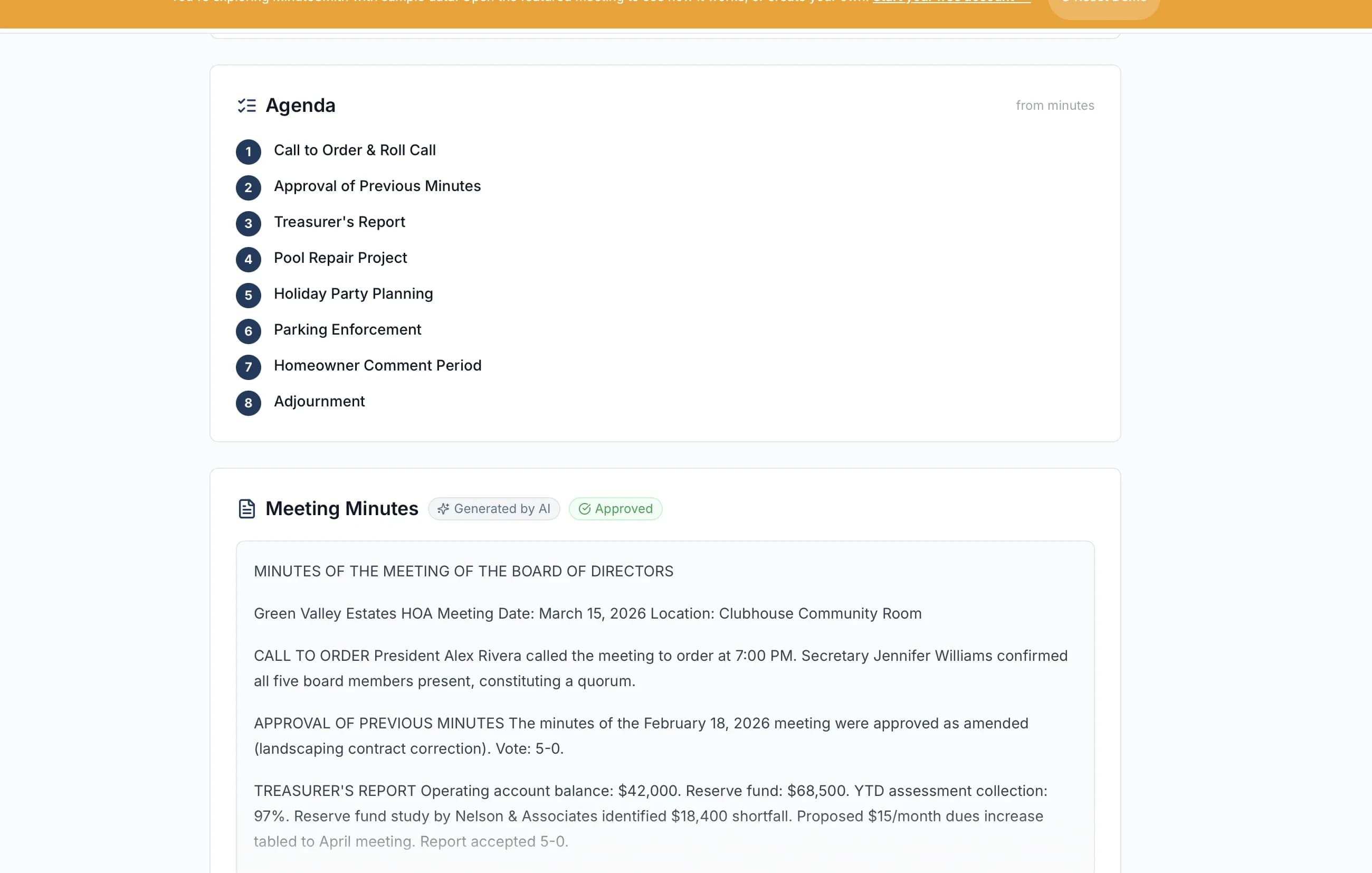
Rough notes in, structured board minutes out
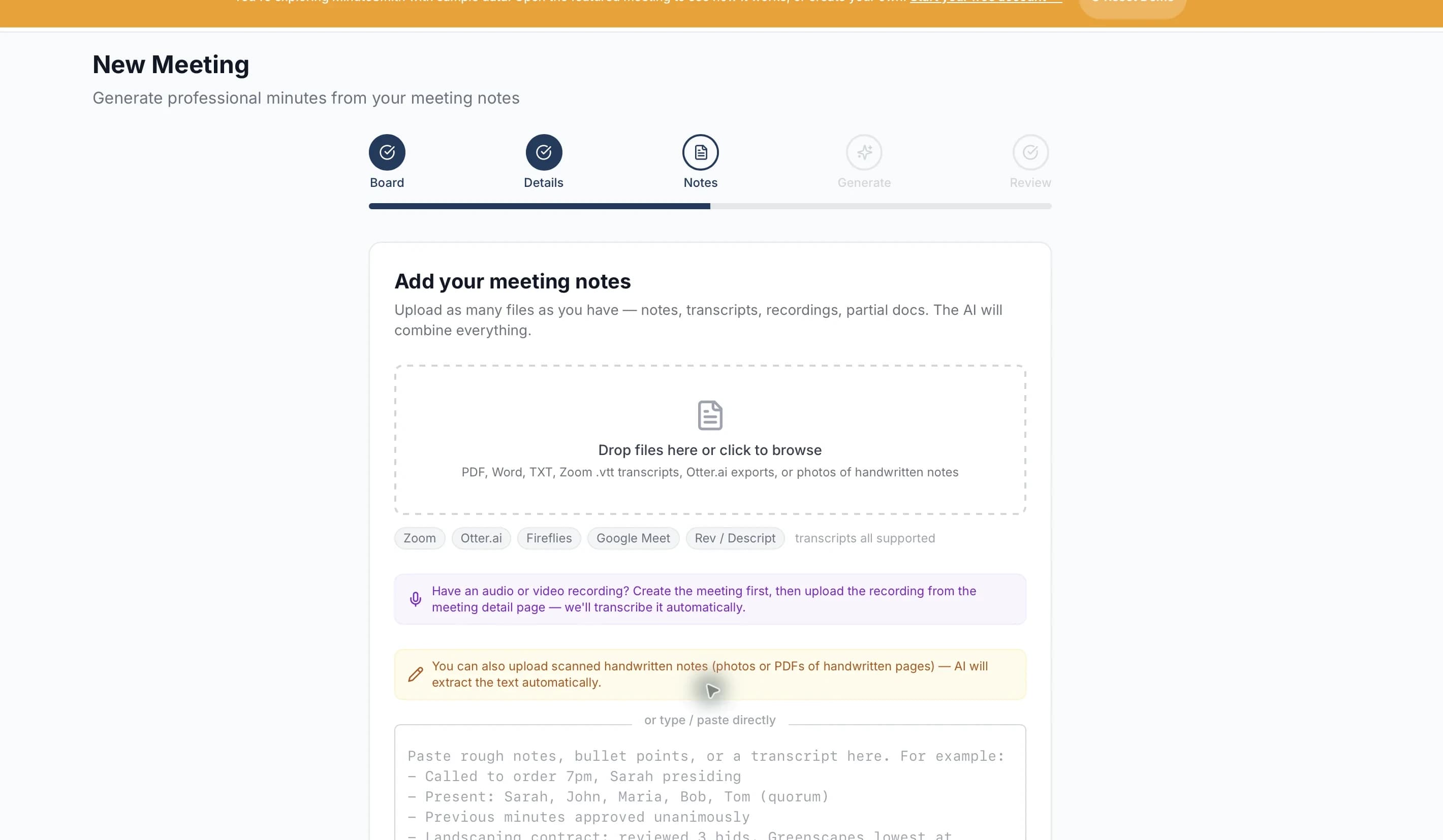
Paste bullet points, upload a Word document or PDF, drop in a Zoom or Otter transcript, upload a recording, or record in the browser. MinuteSmith drafts structured minutes with motions, movers and seconders, vote counts, attendance and action items.
- Typed notes, Word, PDF, plain text, and VTT or SRT transcripts
- Audio and video files such as MP3, M4A, MP4 and WAV, transcribed for you
- Photos of handwritten or printed pages, read with OCR
- Regenerate the draft or edit any section before approval
- Every draft is a starting point: review before approving as the official record
Checks before approval
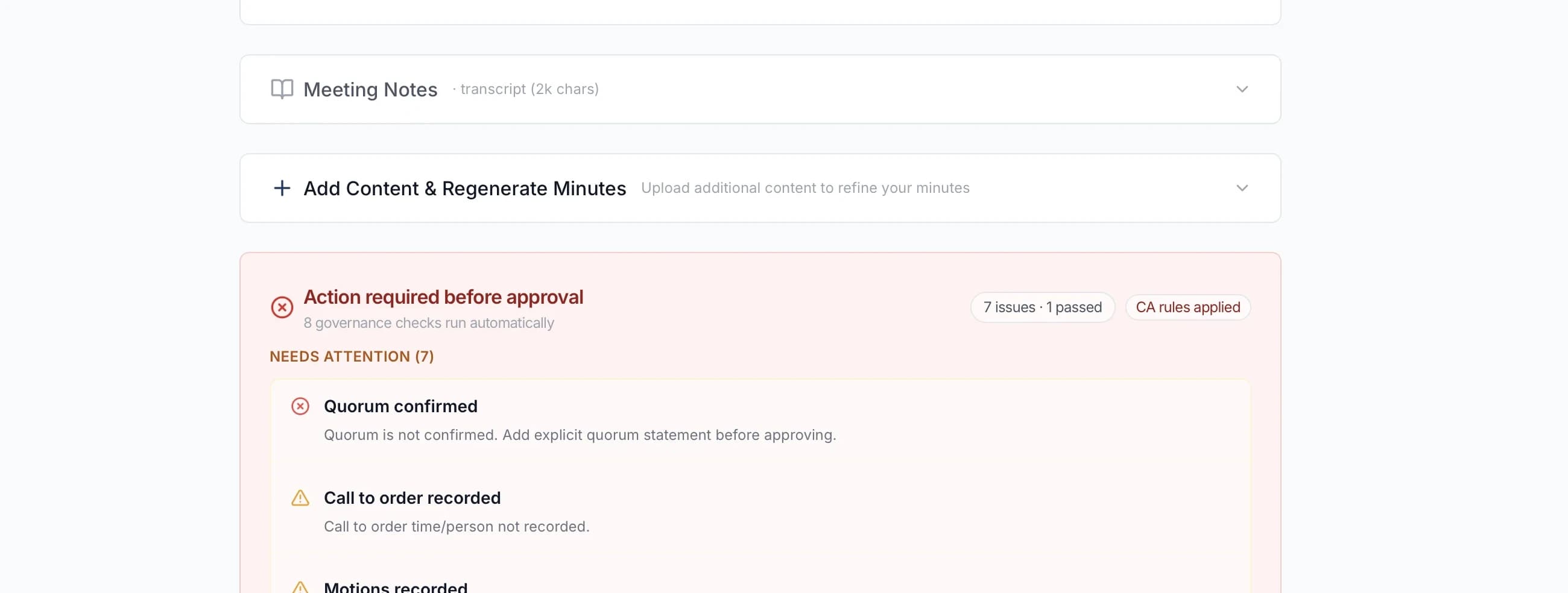
Checked before anyone approves
Before the board votes, the draft is checked for a quorum statement, motions and votes, call to order, approval of the previous minutes, action items and adjournment. Boards in 12 states also get reminders for state rules such as notice periods and records retention.
- The quorum statement is compared with the attendance you record
- State reminders for California, Florida, Texas, New York, Colorado, Washington, Arizona, Nevada, New Jersey, Illinois, Georgia and North Carolina
- Reminders say “not verified” until someone confirms them
- Governance reminders to support your secretary, not legal advice
Review and suggestions
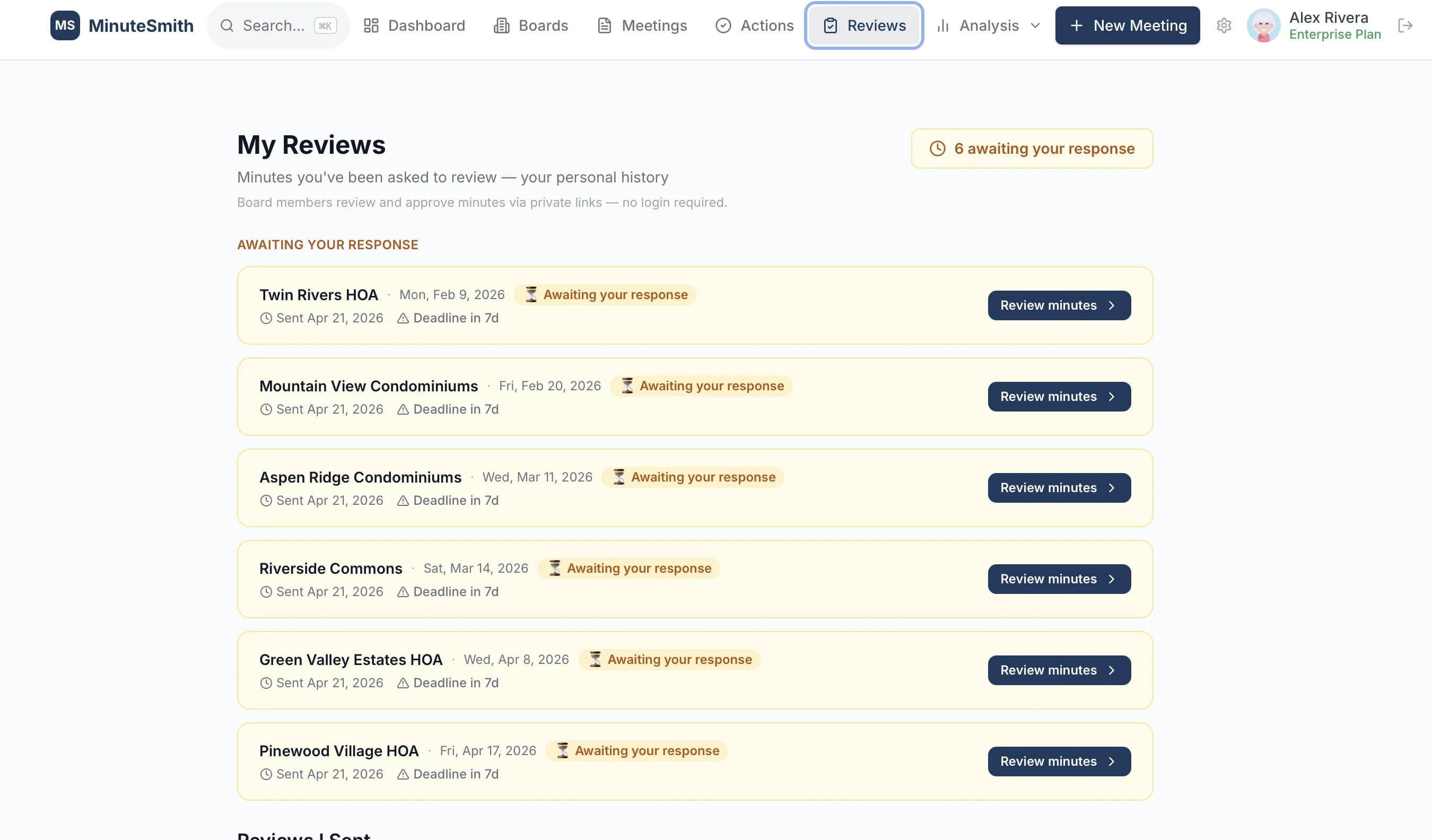
Board members review from a private link
Send the draft to the board. Each member opens a private link, with no account needed, and marks a section Looks good, flags a concern, adds a comment or suggests a wording. The secretary accepts a suggestion, edits it first, or declines it with a reason the reviewer sees.
- No login or account for reviewers
- Any decision on a suggestion can be undone until the minutes are approved
- Reminders for reviewers who haven’t responded
- The meeting shows who has reviewed and who is still pending
Action items
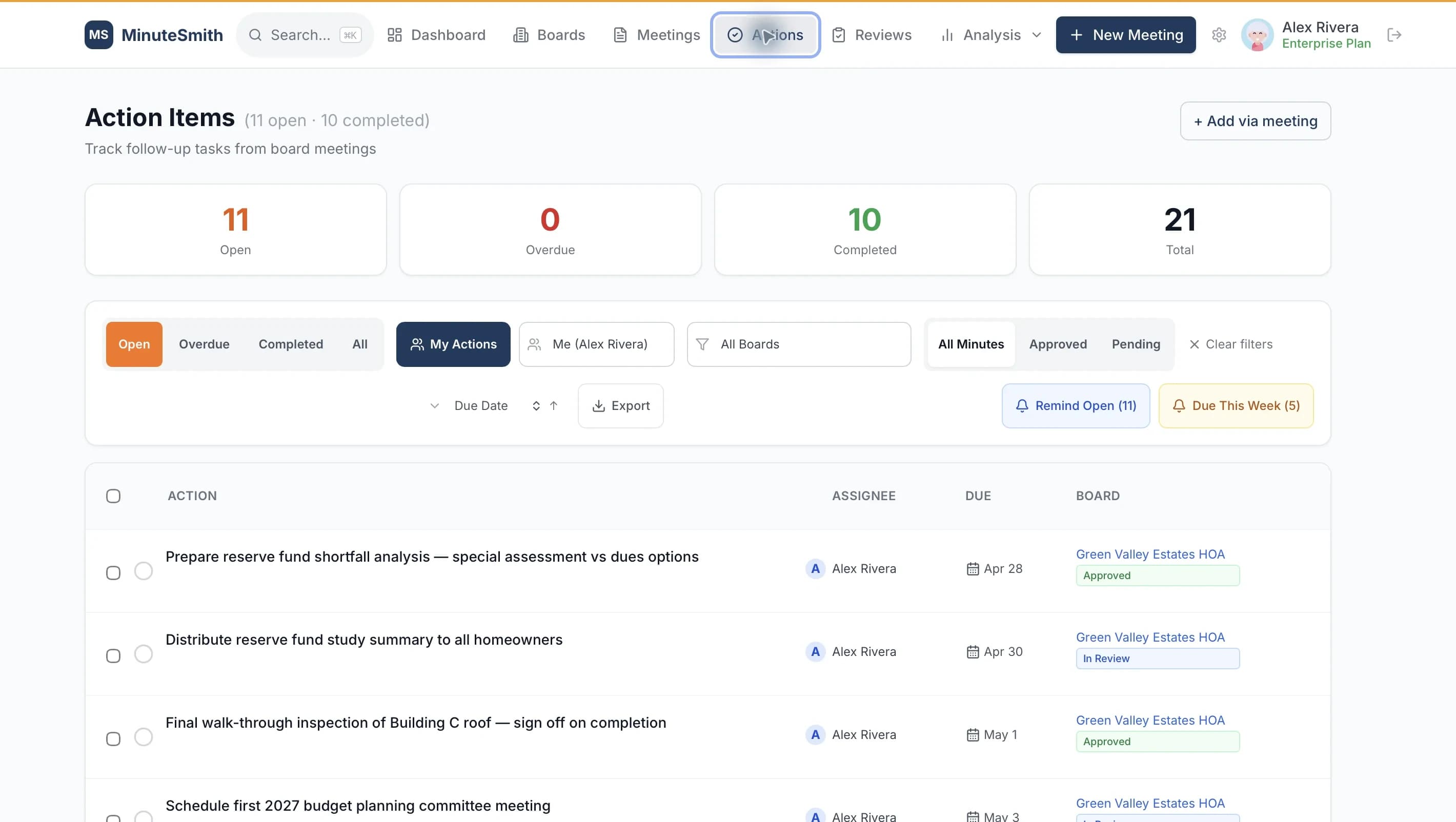
Action items with an owner and a date
Action items come out of the minutes with an owner and a due date. Owners get reminders with a link to mark the item done, no login needed.
- One list for everyone, or only your own
- Filter by owner, organization or status
- Email reminders, and text reminders for members who opt in
Secure board messaging
Board conversations live in MinuteSmith with the same access rules as the rest of the record, so the history stays with the board when members change.
- Who sees a message
- Write to the whole board, a committee or the people you choose. A conversation between members is visible only to the people in it, and a board thread can carry a security level such as Confidential or Executive session.
- In MinuteSmith or by email
- Choose how a message goes: in MinuteSmith, where replies and files stay together, or by email to members’ inboxes, with a preview of exactly who receives it before it sends.
- Official notices
- Official notices keep a delivery record and show who has acknowledged them, person by person.
- Files and alerts
- Attach PDFs, images, Word, Excel, PowerPoint or text files. Members get email alerts for new messages, and text alerts if they opt in.
- Folders and search
- Inbox, Sent, Board announcements and Muted, plus folders each member makes for themselves, and one search box across them.
Documents and history
Minutes, decisions, files and attendance build one record that stays searchable when the board changes. What did we decide two years ago? Ask.
Decisions
Every decision in one list
Motions are captured from the minutes into one list with the date, the motion and whether it passed. Search it, or switch to a timeline grouped by meeting.
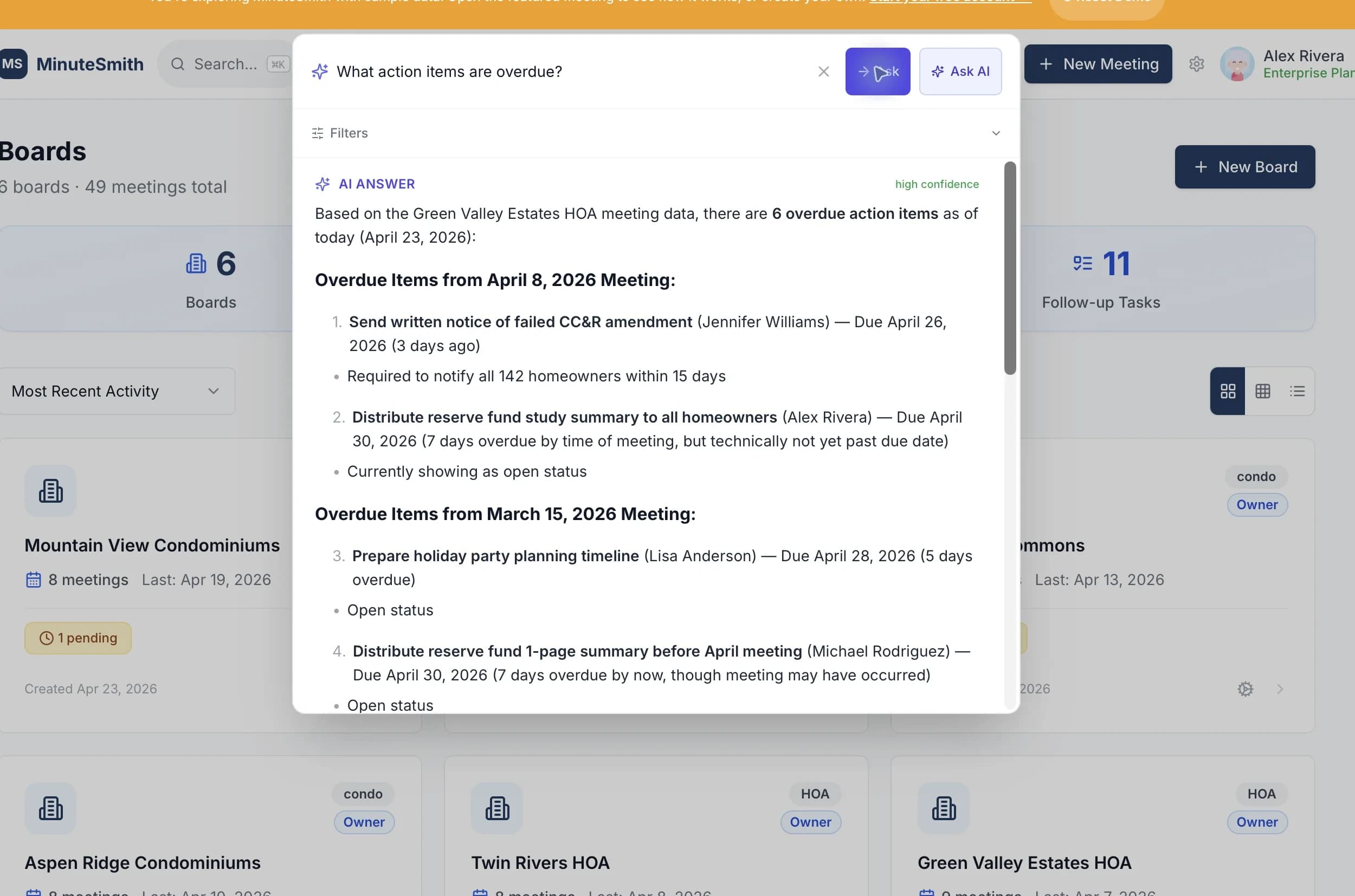
Ask AI
Ask the archive a question
“What did the board approve about the vendor contract?” Ask AI searches every meeting your organization has held and answers with links to the minutes it came from. Retrieval is scoped to your own boards.
- Plain-English questions across boards and years
- Answers cite the minutes they come from
- Works across imported history, not only new meetings
- Your data is never used to train AI models
Documents
Files the board can find
Upload governing documents, minutes and reports. Filter by type or search by name. Older versions stay on file without cluttering the list, and every file opens through an access-checked link.
Import
Bring your past minutes
Upload a folder of past minutes as PDF, Word, text or photos of printed pages. Each file becomes a meeting with its attendees, decisions and action items, so search and Ask AI work across years of history from day one.
Approvals and governance
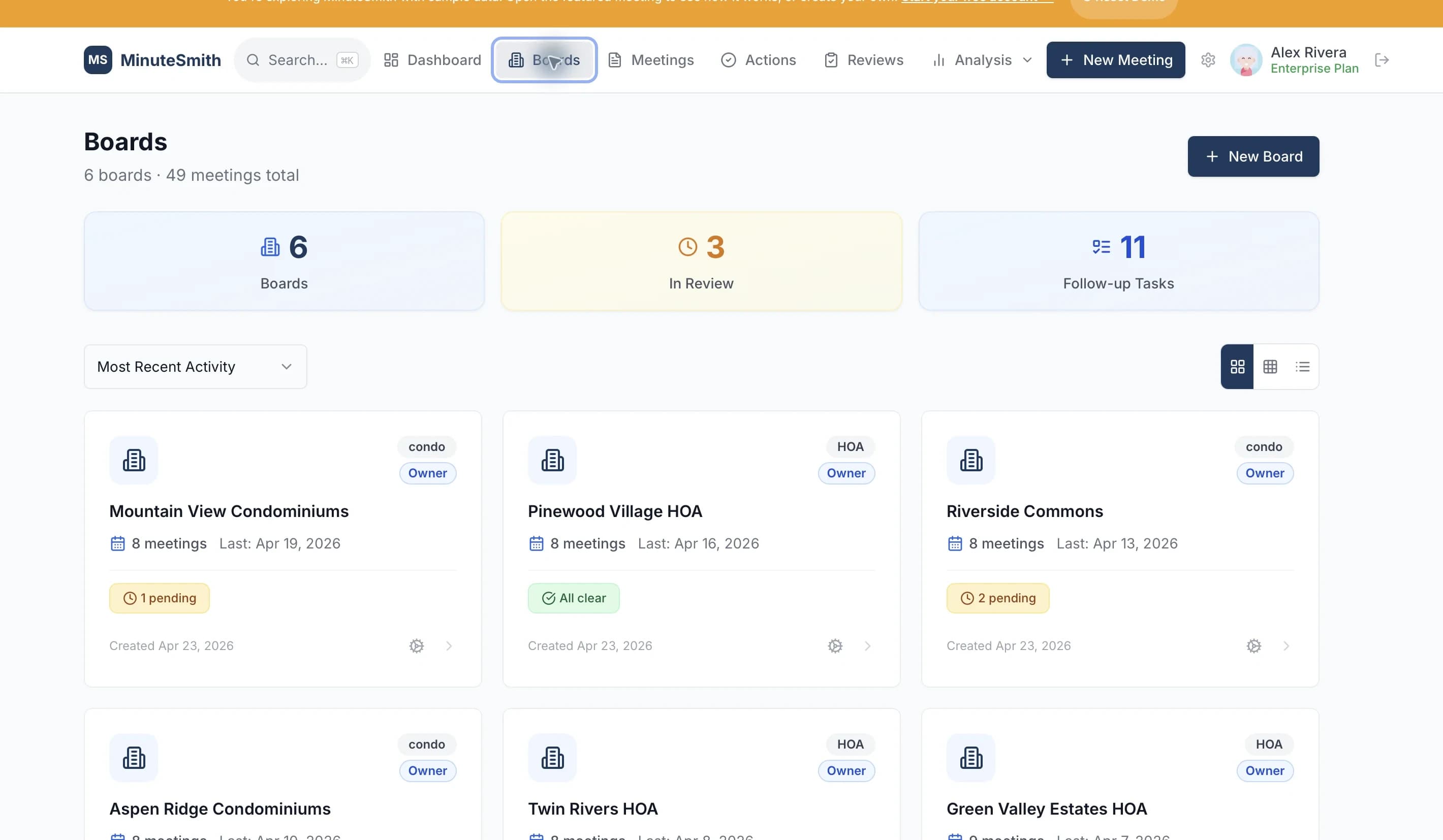
Each meeting shows where its minutes stand and what happens next. Around it, MinuteSmith keeps the roster, terms and attendance a board is held to.
Approval path
Draft, review, vote, send
Every meeting page shows its progress, from meeting held and minutes drafted to board review, the approval vote and sent to members, with the one next step and who it is waiting on. Approved minutes are locked from edits and download as a PDF.
- Members vote for, against or abstain on approval requests
- Withdraw approval to revise when a correction is needed
Members, terms and officers
Terms, officers, committees and attendance
Keep member terms and voting eligibility, officer seats and renewals, and committee assignments. Attendance builds up meeting by meeting, and members who fall behind are flagged for a review.
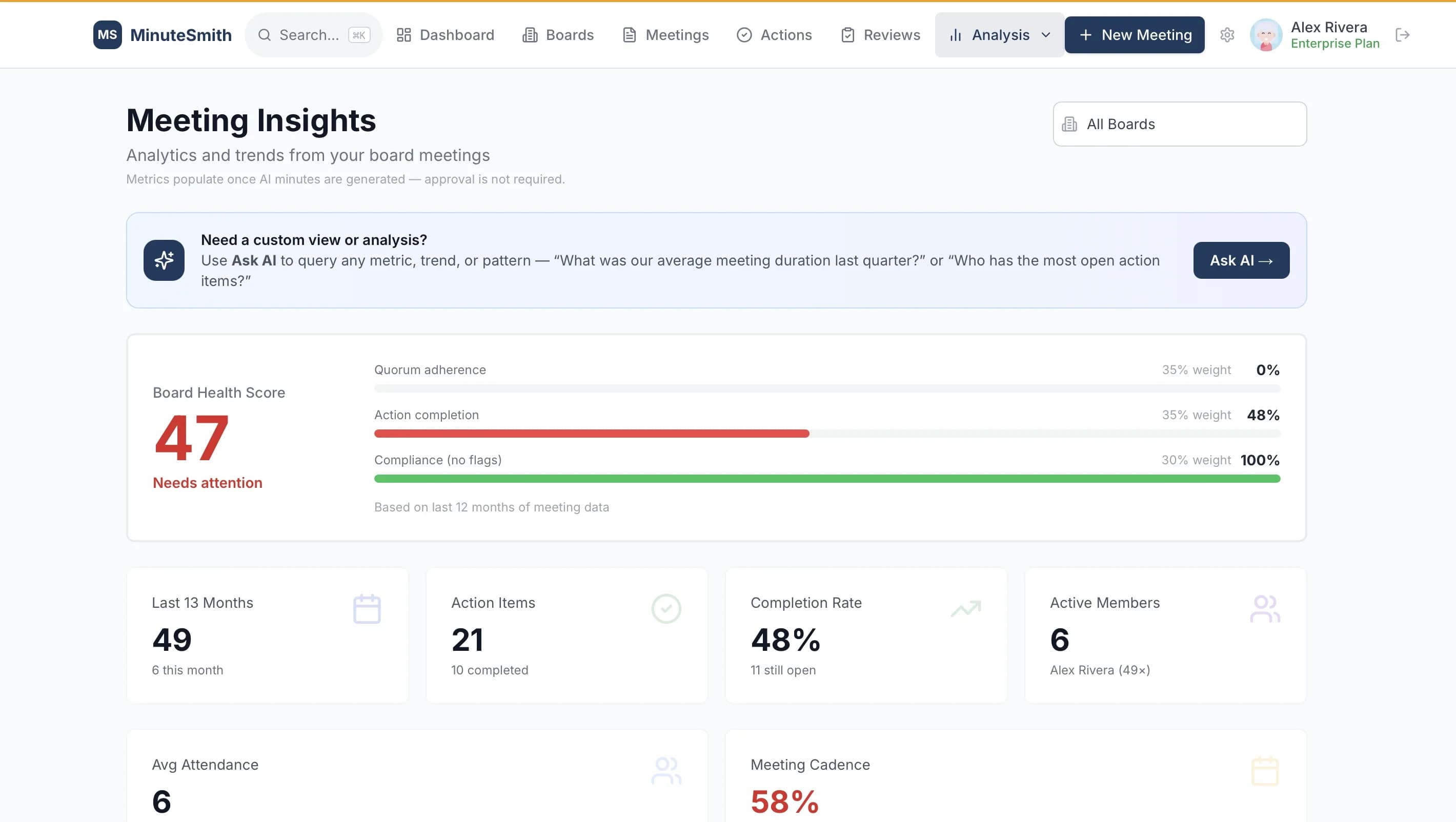
Governance Health
How the board is doing, measured from its own record
Governance Health combines attendance, action-item closure, approval backlog, quorum risk, and meeting cadence into a single number, weighted and shown component by component. Where we don't have enough record to measure a component, we leave it out rather than assume the best, and if too little can be measured, we show no score at all.
- Five components, each shown separately
- Components with no underlying record are left out, never scored as perfect
- Trends over time: attendance, to-dos done, time between meetings and decisions
Simple and secure
Built so a volunteer can use it from a link, and so sensitive records stay inside your organization.
For property managers
Several organizations, one account
Property managers and administrators see every organization they run on one Home page: what is happening now, the next meeting, what needs them, and recent meetings. The same process and checks apply to every board.
- Board members are always free, with no per-seat charges
- Custom branding on Governance Portfolio
Security, stated plainly
These restate the Security page, which also lists what we don’t claim.
- Per-organization isolation
- Postgres Row-Level Security on every customer table; each query is scoped to your own boards.
- Encryption
- HTTPS/TLS in transit and encryption at rest, provided by our infrastructure.
- Hosted in the United States
- Database and file storage in the US (AWS us-east-2, through Supabase).
- Your data and AI
- Our AI vendors do not train on your data under their commercial API agreements.
- Easy for volunteers
- Reviewers use a private link with no account. Each meeting page shows one next step.
Also included
- Share approved minutes
- Send approved minutes to the board with the key decisions, action items and a link to the member portal.
- Resolution tracker
- Passed motions shown as resolutions, with a searchable history across meetings.
- Meeting packets
- Put together a packet for a meeting, choose its sections and documents, and send it to the board.
- Records requests
- Homeowners can request records through the member portal, and the board’s owner gets an email.
- Meeting scheduler
- Poll board members on proposed meeting dates, with no outside scheduling tool.
- Member portal
- Members view approved minutes and action items and subscribe to a calendar feed, with no login.
Learn more
- How MinuteSmith comparesWith enterprise portals, email and shared drives
- Compliance guideState-by-state HOA requirements
- Guide for property managersMinutes across several boards
- Free templateHOA minutes template download
See it for yourself
14-day free trial. $0 today, credit card required, cancel anytime.
Questions about features
Is MinuteSmith a board portal?+
Yes. It brings minutes, documents, secure messaging and approvals together for HOA, condo and nonprofit boards, and it also drafts the minutes for you from notes, a transcript or a recording.
What can MinuteSmith draft minutes from?+
Rough notes, Word documents, PDFs, Zoom or Otter transcripts, audio and video recordings, and photos of handwritten pages. It produces structured, checked minutes with motions, seconds and vote counts, and works from notes alone when a meeting was never recorded.
Can board members message each other securely?+
Yes. Members can write to the whole board, a committee or chosen people. A conversation between members is visible only to the people in it, and official notices record who has acknowledged them.
Can I ask questions across past meetings?+
Yes. Ask AI answers plain-English questions across your organization's approved meeting history, such as “what did we decide about the reserve fund?” or “what's still open?”, with answers cited to the exact minutes. Retrieval is scoped to your own boards.
Does MinuteSmith run compliance checks?+
Yes. It checks quorum, motions and votes, call to order, approval of the previous minutes, action items and adjournment, with state reminders for 12 states. These are governance reminders to support your secretary, not legal advice.
Can I manage multiple boards or committees?+
Governance Professional ($349/month) covers up to 10 organizations plus committees, and Governance Portfolio ($699/month) covers up to 25, all priced per organization, with invited board members free. Governance Essentials ($149/month) covers one organization.
Does it track action items between meetings?+
Yes. Action items are extracted from the minutes with named owners and due dates, with email reminders and text reminders for members who opt in, so nothing slips when the secretary or board changes.